
1 Create Your Account
Start by creating your free PoGO Alerts Network account. You'll need this to access all features and manage your alerts.
Sign Up
Click the "Sign In / Register" button in the top navigation, then select "Register" and fill in your details.
Verify Email
Check your email inbox for a verification link and click it to activate your account.
Complete Profile
Log in and visit your Profile page to update your settings and preferences.
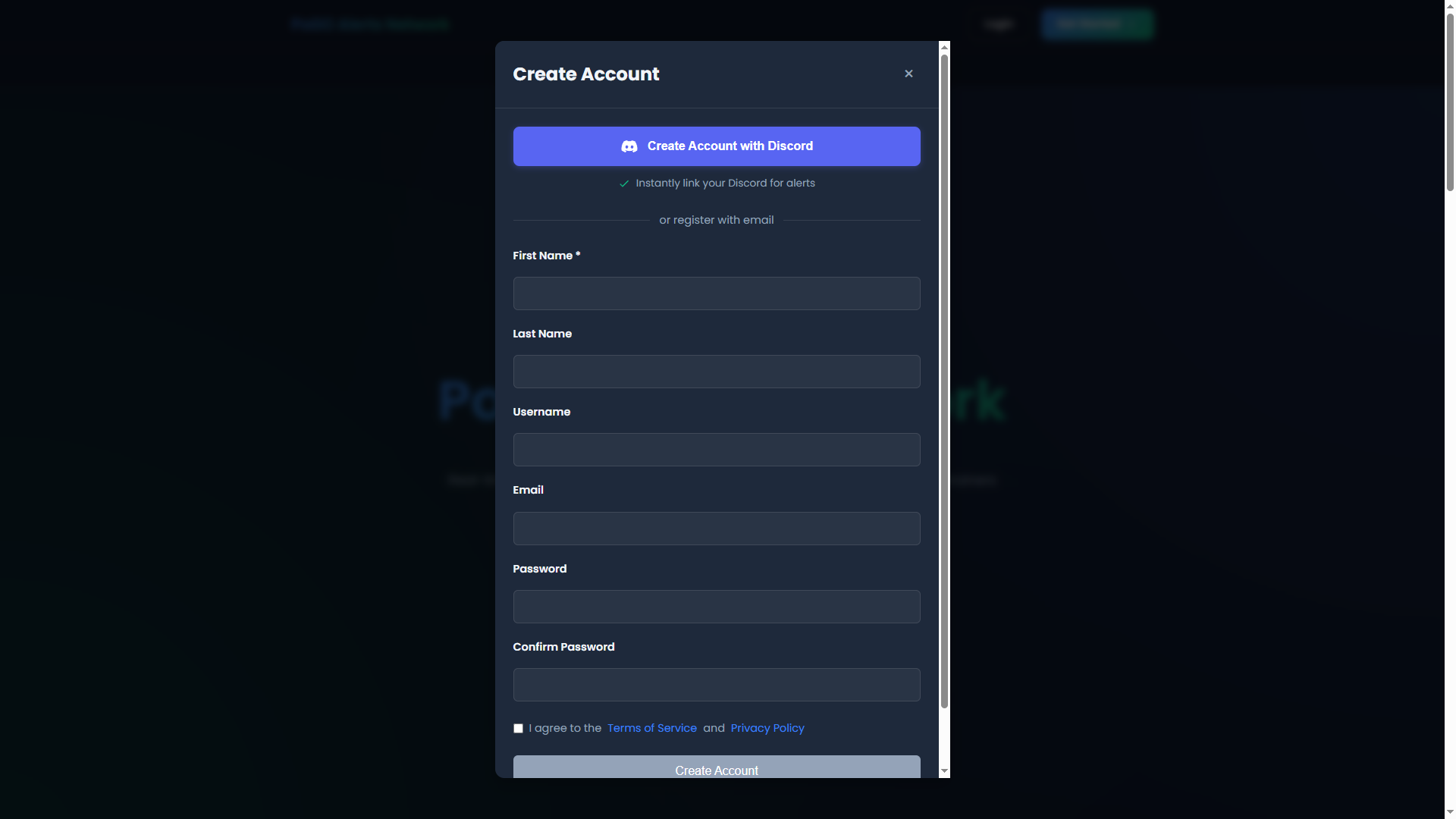
The registration form - fill in your details to create an account
2 Choose a Subscription Plan
Select a plan that fits your needs. Each plan includes tokens that you can allocate to regions for scanning coverage.
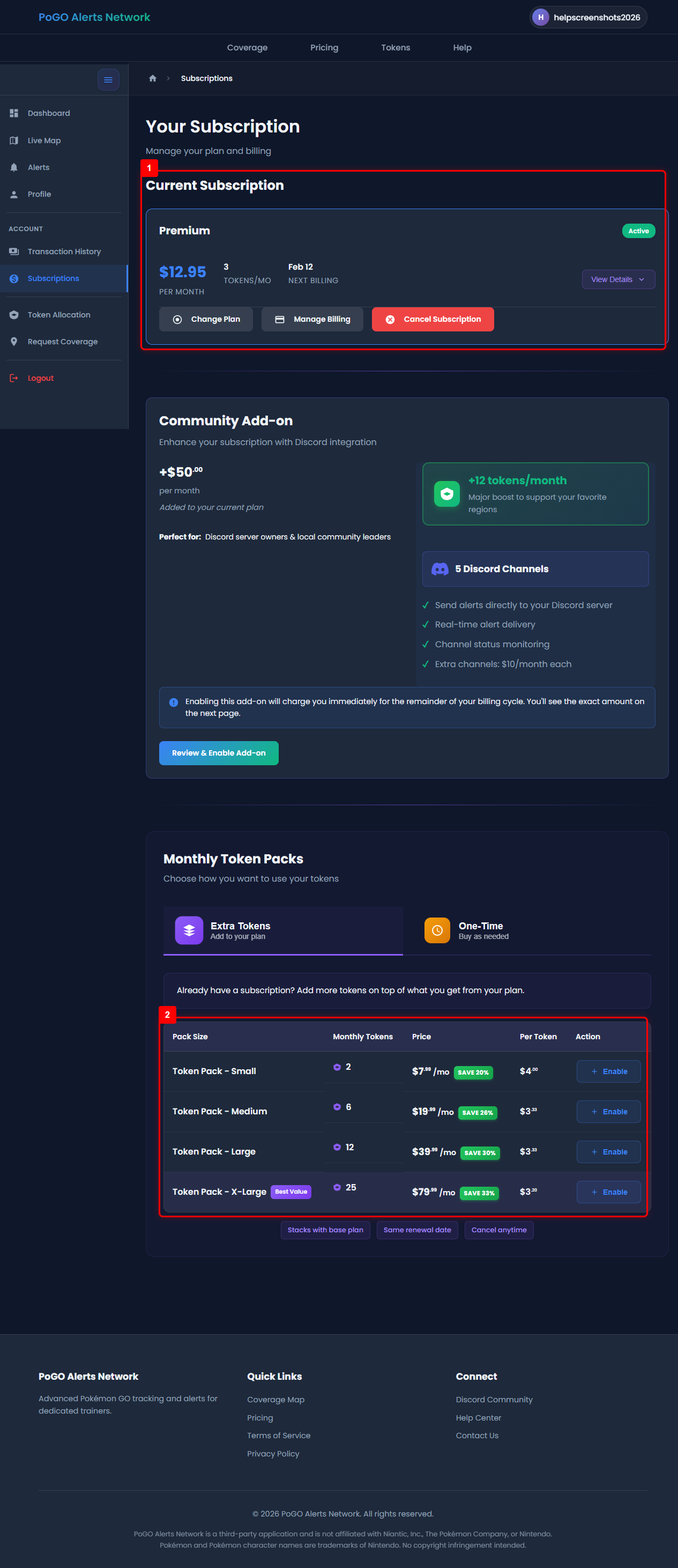
Choose from our subscription plans - compare features and select what works for you
3 Link Your Discord Account
Connect your Discord account to join the PoGO Alerts Network community and receive real-time alert notifications via direct messages.
Connect Discord
Go to your Profile and click "Connect Discord" to link your Discord account with PoGO Alerts Network.
Join the Community
Gain access to the PoGO Alerts Network community Discord server where you can chat with other trainers, get support, and stay updated on service announcements.
Receive DM Alerts
Get instant notifications delivered directly to your Discord DMs for rare spawns, perfect IVs, and raid alerts in your active regions.
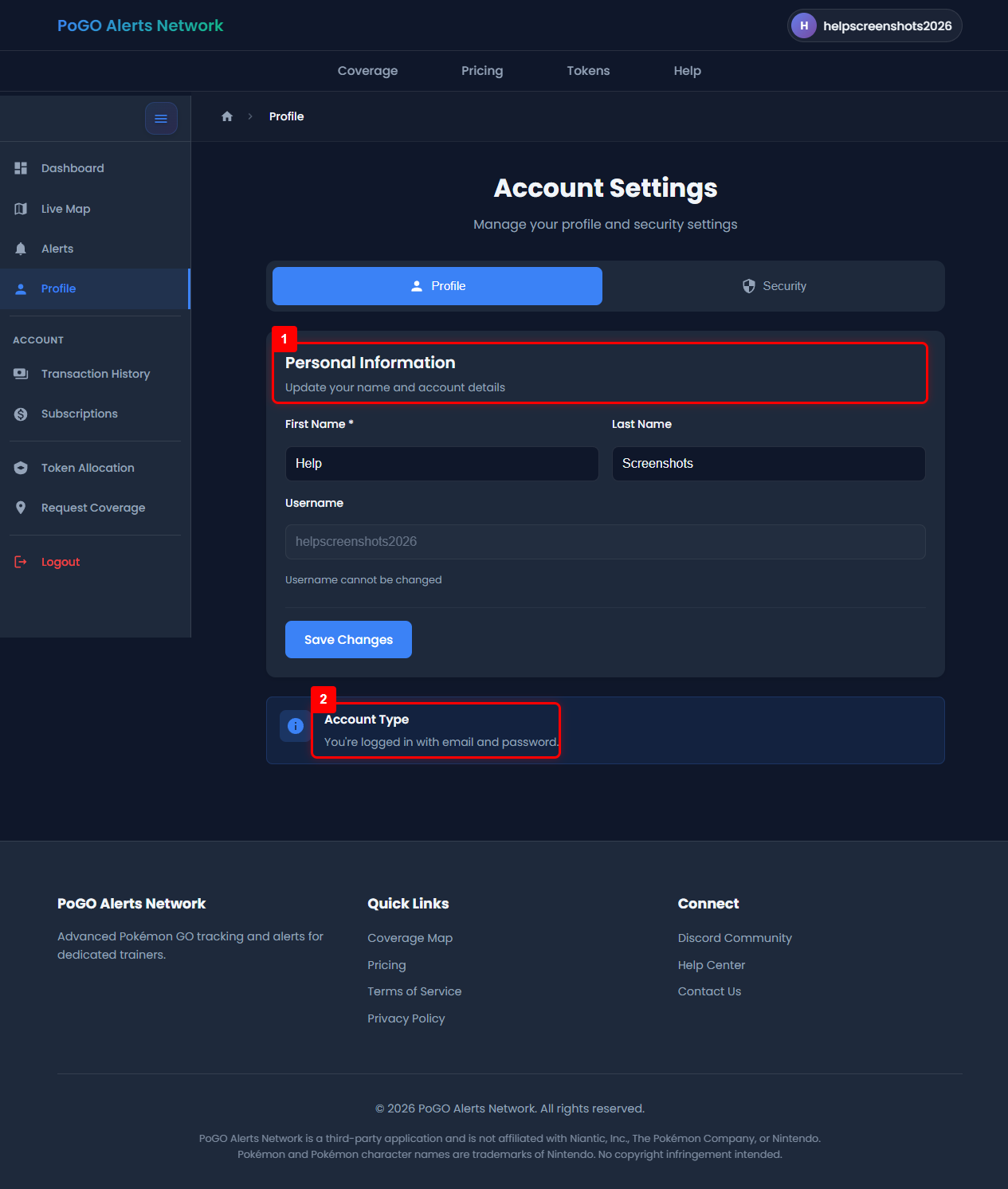
Your Profile page - connect your Discord account here
4 Allocate Tokens to Regions
Your alerts are already live at this point — tokens are the separate question of which areas your subscription helps pay to keep scanned. Point yours at where you play.
Browse Available Regions
Go to Token Allocation to place your tokens. The Coverage Map shows how well supported each area is.
Select Your Regions
Choose the areas you actually play in. One token goes to one region, and you can split them across several.
Place Them
Your support counts toward those regions straight away, and stays put — each month's new tokens arrive already on the same regions, so you only come back to move something.
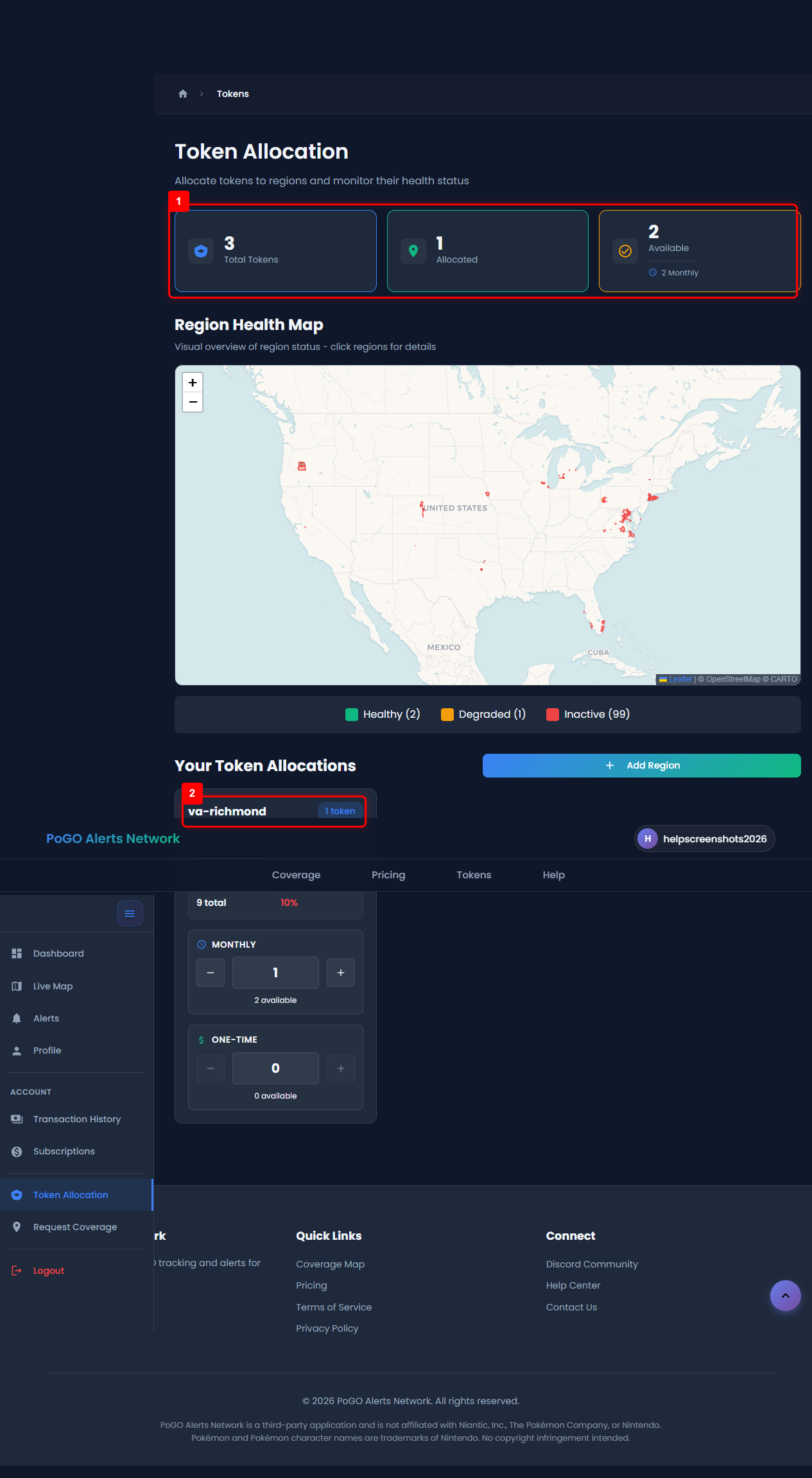
Token Allocation page - allocate your tokens to regions on the map
5 Start Receiving Alerts
Once everything is set up, you'll start receiving real-time alerts in your Discord channels!
Rare Spawns
Get notified when rare Pokémon appear in your regions
Perfect IVs
Never miss a 100% IV Pokémon spawn
Raids
Track legendary and mega raids in real-time
Raid Eggs
Get early warnings for upcoming raids
Need Help?
If you run into any issues or have questions, we're here to help!